Your local-first AI workspace.

Run agents, memory, voice, and documents from a private desktop command center.

Local documentsAgent delegationVoice workflows
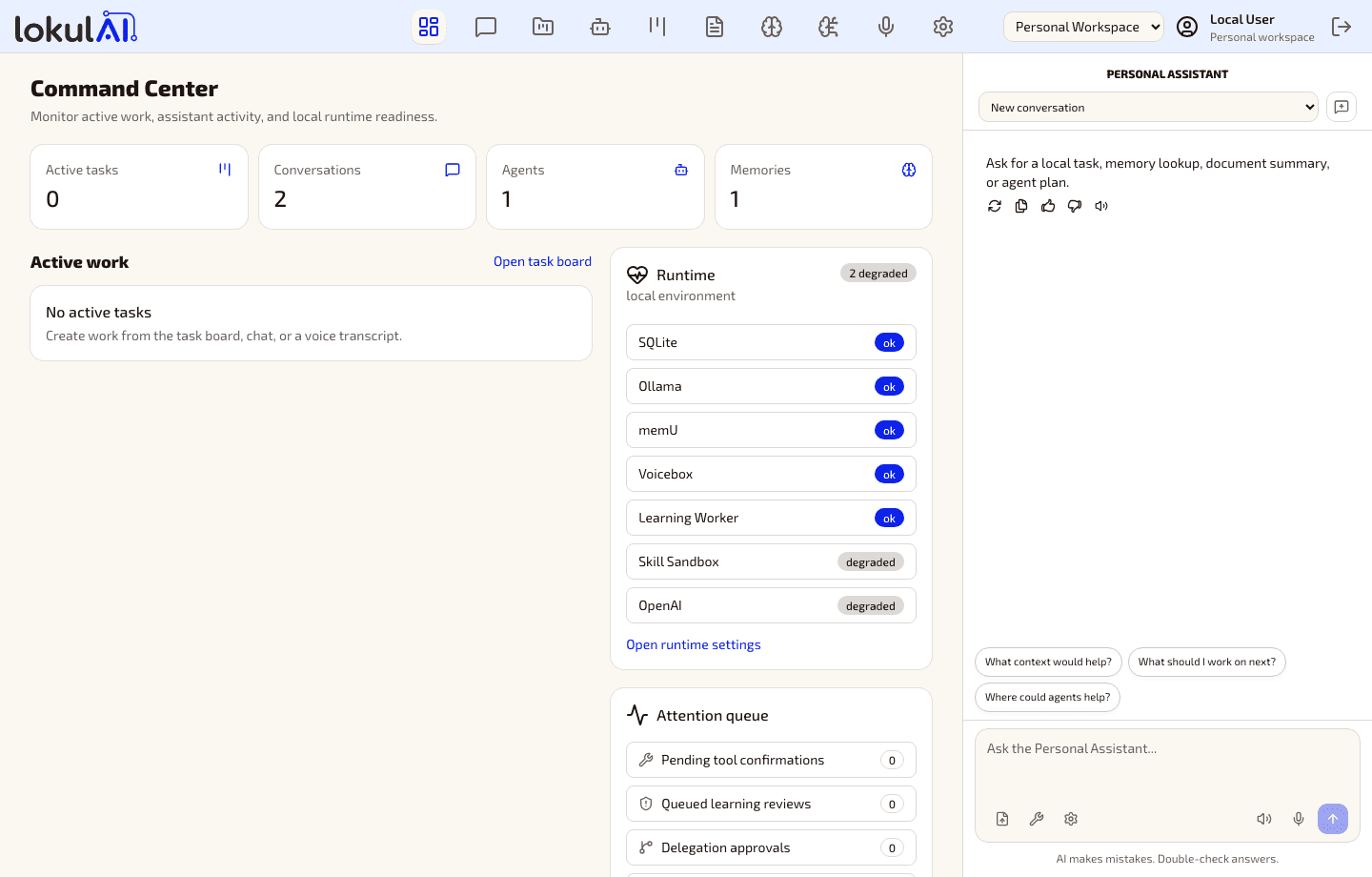
Command Center
Local mode
lokulAI Command Center screenshot

Capture

Bring project files, docs, and decisions into one local workspace.

Delegate

Route focused work to agents while keeping approvals visible.

Operate

Check runtime health, memory, voice, and updates before work depends on them.
One workspace for your local AI stack.

Connect projects, agents, tasks, documents, memory, and voice without scattering context across tools.

Project context

Keep project files, conversations, tasks, and decisions in one local workspace.

Agent delegation

Assign focused work to local specialist agents and keep approval in the loop.

Local documents

Import, index, and cite private documents without making the cloud your source of truth.

Governed memory

Capture useful context while keeping review, rollback, and visibility built in.

Voice control

Use speech input, TTS, and cloned voice workflows from your desktop.

Runtime readiness

See Ollama, memory, voice, sandbox, and update-feed status before you depend on them.

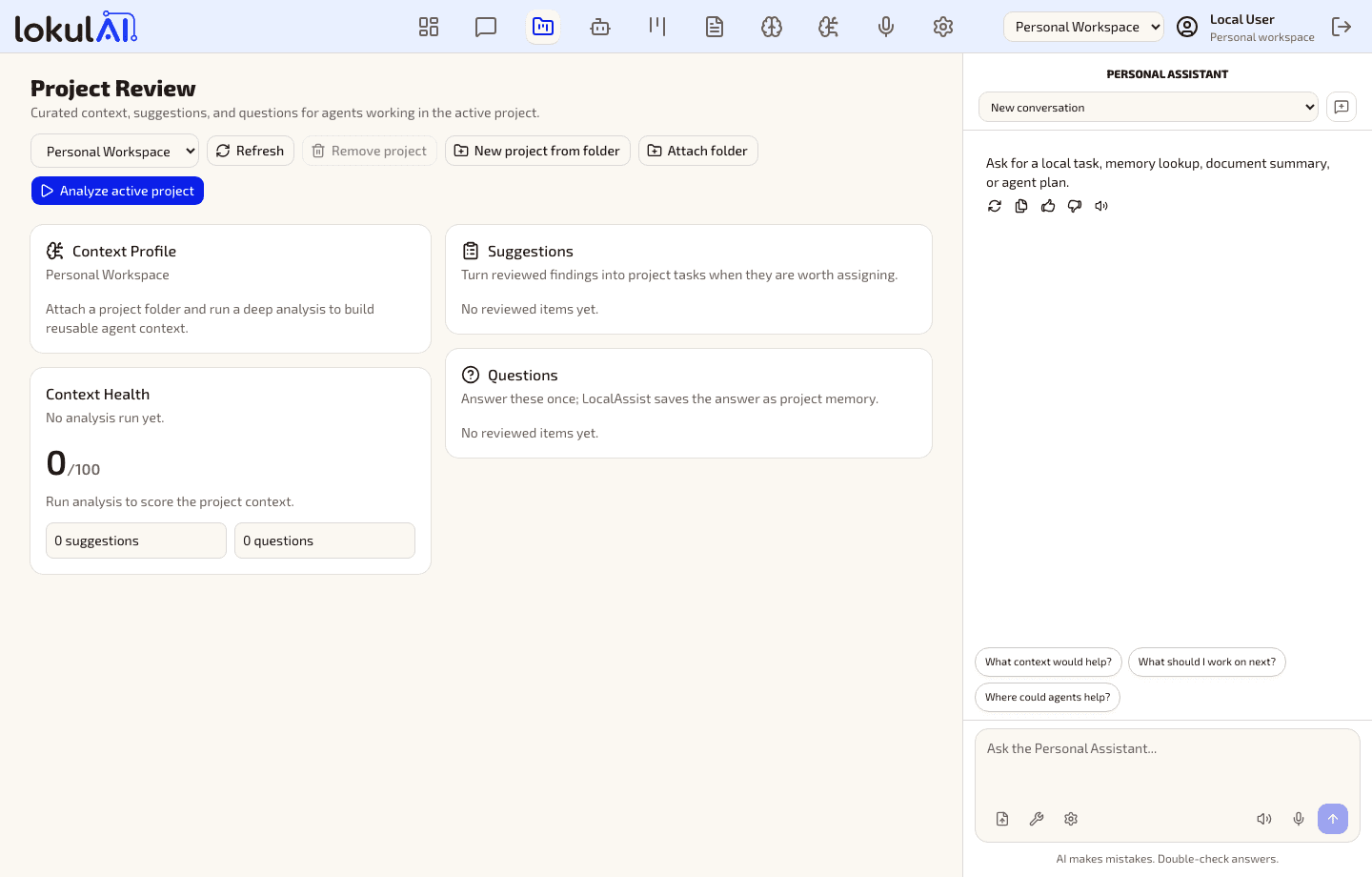
Project workspace
Local mode
lokulAI Projects workflow screenshot

Projects

Active context stays visible.

Agents

Specialists work with guardrails.

Runtime

Readiness is checked upfront.

Keep the sensitive work on your machine.

lokulAI is built around local storage, local runtimes, explicit tool permission, and optional cloud sign-in for desktop account flows.

Device

Your desktop. You are in control.

Local data

Stored locally in SQLite.

Runtime services

Local-first services and tools run nearby.

Optional cloud auth

Used only for account flows you choose.

Desktop updates

Verified updates through the desktop app.

Explicit permission model

Tools, MCP servers, diagnostics, and cloud account flows stay visible instead of becoming hidden background behavior.

Local SQLite profile

Conversations, memory, settings, indexes, and task state persist locally.

Optional cloud sign-in

Hosted account flows unlock desktop identity without replacing the local workspace.

Explicit MCP approvals

Tool access stays visible and confirmable before sensitive actions run.

Desktop diagnostics

Runtime evidence and logs help troubleshoot local services without hiding state.

Update feed

Signed desktop releases can check a public feed for channel health and release notes.

Private documents

Local imports and retrieval stay scoped to your workspace and projects.

Start with a private desktop beta.

Install lokulAI locally, connect the runtimes you already use, and keep your projects moving from one command center.

lokulAI beta access

macOS Apple SiliconPrivate beta request
Windows x64Private beta request
Release notesPublished with signed builds